PaidVerts

Showing posts with label Payoneer. Show all posts

Thursday, September 17, 2015

Make $10 every 16-20 minutes easily


How to earn $10 every 16-20 minutes!


Requirements:

- A small bit of patience

- Brain.exe lol
I've used this method for quite a while and made around $400+ a week.  I made an ebook about it to avoid doing it all in this thread.


Saturday, June 13, 2015

How To Use Jingling To Earn Money Online !


What is Jingling?

Jingling is a free traffic exchange bot which runs in background. Probably it is the most & widely used traffic exchange bot in the world due to its suitability.

How Jingling Works :

The work of Jingling is very simple. Your Jingling visit others website and others will visit yours. Both of you will take advantage by getting some visitors. It will allow only up to 10,000 traffic & 6 links, depending on the processing power of your computer. PC with better RAM are certain to get more link slots. The faster your web connection, a lot more clicks you'll receive.
Jingling Advantages :

Unique international visitors. But you can set it only western or custom countries.
Totally Free. No sign up required.
Works on Windows XP, Windows 2003,Windows Vista, Win7, Win8.
The most advantage is that you can earn money using this bot. I will describe about how but for this you have to know how to set up Jingling for earn money.

Disadvantage Of Using Jingling :

Chinese language.
May slow down your Computer.

How To Use Jingling To Earn Money Online  :

Now the question is how to earn money online using Jingling. The answer is simple, Jingling will send traffic to your site & the traffic will help us to make money. Now i will tell you my process how i earn 3$-5$ daily though my computer configuration is less.

   1. Create a blog in blogger.com. Make it simple and fast loading. Write or copy-paste some posts. Remember fast loading blog will get more advantage.

   2. Sign up some Cpm and Pop Up ads networks. 
     - For Cpm : Try  CPX24, Adhexa  & Edomz. They have a  good Cpm rates & count maximum views 
     - For Pop Up : Try Popads, Edomz & Popcash. 

Stay tuned for Reviews, Rates and Payment Proofs About The Cpm & Pop Up Networks I personally use, I will soon post an article about it. 

   3. When your website get approved (It may take up to 24-48 hours, but Cpm sites will active your site immediately)
Set up ads code from those site. Use only one ad unit per Cpm site. Sometimes CPM site does not count views. 
Like I've said I will soon post an article about the sites that have a good Cpm rates and count most views.

How To Set Up Jingling 5.1.2 For Earn Money :


NOTE : Follow the same steps for the English version.


 A. Download It From Here (Password- 123456 ) or Here. 


Or for the Chinese version ↓


  B. Run Jingling. It will look like this ↓ 


C. In the picture ↑


    1. It's the software status. Make sure it is Blue Color. which means running in good status. If it show Orange Color that means you should install Flash Player or you have no internet connection.

    2. Change the running mode.

    3. The program will calculate your PC's Performance and show how many minutes you can use per day at place 3, You can use them for your links.

    4. Click button 4 to add your links.


↑
   1. Check how many minutes you could use for your blog. I recommend to use all of your minutes. 
   2. Put your blog link at blank 2
   3. Set how many IP views you receive per day.  Set 10,000 if you have. My PC performance is less and for this I can only use 3750 per day. 
   4. Set how many second per main page view. Use 10-30. But 10-60 is better.
   5. Click button 5 to show "Advance Setting"


   1. You have to set referrer here. Go to twitter.com and Tweet your blog URL. After tweet publish right click your blog URL and copy this. It will look like t.co/skik. Paste it in 1 and set 90%. Other 10% is used for direct view. 

   2. PV setting, set IP:PV up to 1:2, view time will be calculated in total time.

   3. Manage the mouse clicking, allow up to 5%. It will click a link what you set up. You can use Chitika ads and set- mm.chitika.net. It will seach for mm.chitika.net and click on the ads.

   4. Manage the popup, Set it to 20%.

   5. Set the Traffic Sources. Set like the picture ↓


   6. Traffic control : Note that time zone is GMT +8​. We don't need to change it.

 And that's it !


If all the settings are done perfectly, the Jingling Bot will deliver traffic to your site. If your computer performance is good it can deliver up to 10,000 visitors to your site.

 Earning Calculator :


From CPM- 3 ad tags*10,000 visitors=30,000 impression= CPM site count approximate 15,000 impression. 
If the CPM Average is 0.10$ the earning from CPM sites=15,000*0.10$=1.5$

From POP Up- 3 ad sites POP Up CPM is approximate 3-5$. Count 20% POP Up for 10,000 impressions= 2000 views. But they count approximate 1000 views because of same ip. So the earning from POP Up is- 3$-5$. 

Daily earning is- 3.5$-7.5$ easily. 

I Earn 3$+ Daily Using This Method and you can earn more with a high performance PC.
If you have any problem regarding this post, feel free to contact me.

Thursday, June 4, 2015

Free 2$ Daily with SiteTalk CashBack Website !


SiteTalk CashBack, is a rewarding website that rewards his users with cashback for doing there online shopping basics! 


The best thing about this website is, you may find things you already shop in other sites but if you use the stores that SiteTalkCashBack provides, you'll get intersting amounts of cashback isn't that great!


Now what I'll show you is how to earn cashback without buying anything!


Just follow these simple steps and you will end up with 2$ in you account, which you can earn everyday!


For Tips to get More $$$ Join using my Ref Link and put your Username in the comments section.


Steps :


1. Go to the website by clicking the banner below.


2. On the SignUp Form enter your email and choose a password to create your account.


3. Go to the email inbox you provided and Verify your email address.


4. Go back to SiteTalkCashBack website, login if you are not already and click on " My account " as shown below.


5. You will see At the top left a search bar (Search online stores..).
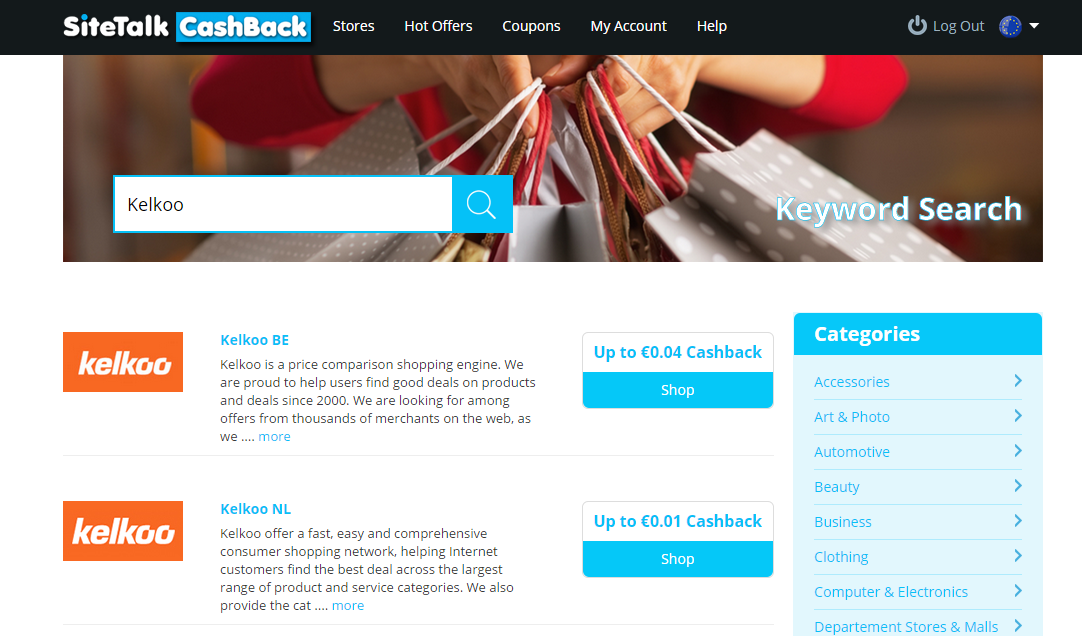
type and search for Kelkoo .
the search result returns with 4 options as shown below. Click on the first one.


6. Now click on Visit store.


7. You will be taken to the Official site of this store, Choose one of the shown product of this page and click on it so you can go to the Buy/Order page.


Note: Sometimes the products are not shown on the first page, in that case  just select a category and you will see products in the next page, click on any product then it will take you to the Buy/Order page for this product. (Product page always have an add to cart button). 


8. The Buy/Order page should open automatically in a new tab as shown below.


9. You have to stay on this page and wait for 30 seconds just like you watch ads. and Voila!! that's it!! You can close the opened tab.

10. Now repeat the steps for all 4 Kelkoo stores one by one. 


11. After watching all four ads repeat from 1st to 4th store again. you can watch the 1st and 4th stores 5 time, the 2nd and 3rd can only be watched two times.


That means you will see the 4 stores 14 times.


This process will take you 10 to 15 minutes and you will get 0.2$.


Now we are done with Kelkoo stores, lets move to the other 2 stores : 


  • Homeaway.co.uk
  • Resebokningen.se


Steps for Homeaway.co.uk:


1. Tap Homeaway in search bar like we did before with Kelkoo, and click on homeaway.co.uk.


2. Click on visit store.


3. On the store home page select any location.


4. Choose a date of arrival and departure. The time difference should be 7 to 10 days.


5. Click search, you will see different hotels for booking.
Click on Request to Book or view details so you'll be taken to the booking page.


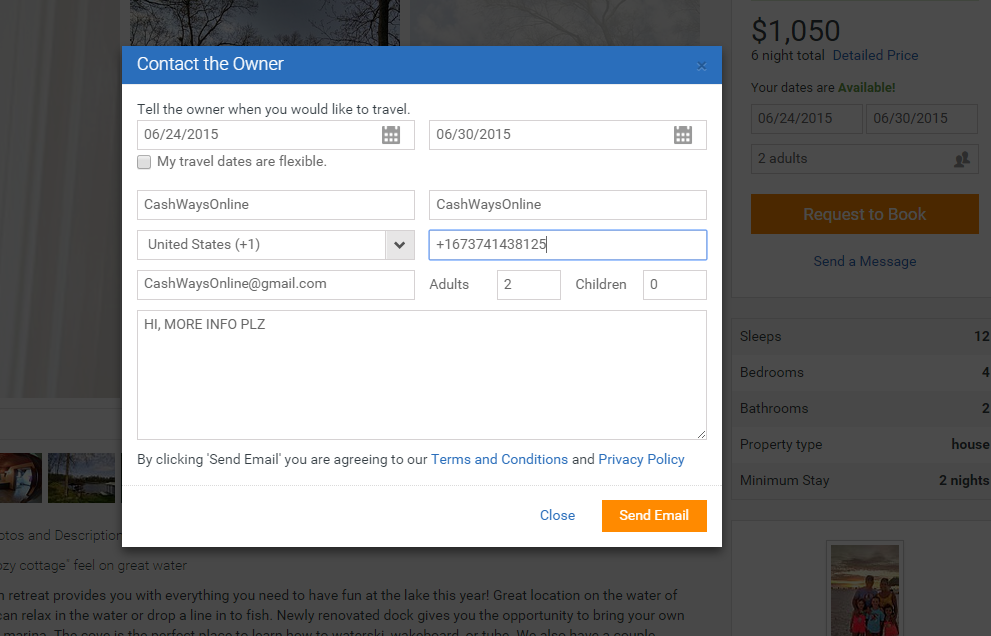
6. Click on Send a Message.


7. fill the needed details on the form and click Submit. Wait for 30 seconds on this page. 


You will get paid from this site within 24 hours.


Steps for Resebokningen.se:


1. Search for Resebokningen and Click on visit store.


2. Then enter random details Depart and destination and a date, select one way. Then click on search button.


3. After search choose one flight.


4. A new tab will open. Then select one ticket.


5. A new tab will open. Now wait for 30 seconds on that page.

And Voila!! We are Done!!


First time you do this will take time but once you understand and get used to it, you'll only spend 10 to 15 minutes.

Do this daily and you will get about 2$ daily.

Payment will be updated within 24 hours. When your cashback is available you will automatically recive a notice email.


If you have any question just put it in the comments section


For Tips to get More $$$ Join using my Ref Link and put your Username in the comments section


Wednesday, June 3, 2015

How To Make Money with Payoneer !


https://share.payoneer.com/nav/ArGvOlXKFwm8AERHiL7FVD2U51iu5Uwlg1nSoRZFhS98QDoUD6y6UYG7C-0g5Qk1RUbFnnjcgCPjkHxwOAGk4w2


Payoneer is a financial services business that provides online money transfer and e-commerce payment services.

Payoneer account holders have the option to receive funds into their local bank account or e-wallet, or via a re-loadable prepaid debit card, which is issued through MasterCard and can be used at ATMs or at the point-of-purchase.

As of 2015, Payoneer is available for more than 100 currencies in 200 countries.

You can find more info about Payoneer MasterCard and how to set up your account in this post :

How To Get Payoneer Master Card With 25$ Bonus!

Payoneer Refer a Friend Program

Anyone who has an active Payoneer Prepaid Card can participate in the Refer a Friend Program.

Please note that you can only refer new users - existing account holders will not be approved for an additional card.

You can refer as many friends as you want! You will earn a $25 reward for each friend you refer that signs up for a Payoneer Prepaid Card and receives at least $100 in payments to their card. 

Click below If you don’t have a Payoneer account.


.
Steps to get started with Payoneer Refer a Friend Program

Sign in to your Payoneer online account and click on the Refer a Friend banner, as shown below.


https://share.payoneer.com/nav/ArGvOlXKFwm8AERHiL7FVD2U51iu5Uwlg1nSoRZFhS98QDoUD6y6UYG7C-0g5Qk1RUbFnnjcgCPjkHxwOAGk4w2


Copy your direct link and share it with friends, use the provided tool to share it easly via Facebook, Twitter, or E-mail. You can also view updated statistics on your pending referrals.


https://share.payoneer.com/nav/ArGvOlXKFwm8AERHiL7FVD2U51iu5Uwlg1nSoRZFhS98QDoUD6y6UYG7C-0g5Qk1RUbFnnjcgCPjkHxwOAGk4w2

When your friends receive your link and click on it, they will be redirected to the Payoneer application page. Once they have signed up and received at least $100 in payments to their card, you have successfully generated a referral.  Both you and your friend will receive your rewards within 30 business days.  

Please note that your friends must use the link that you specifically provided them so they can be associated with your referral.


Share you affiliate link as much as you can with your friends on Facebook, Twitter, Google+ etc. and start making money with Payoneer Affiliate program.


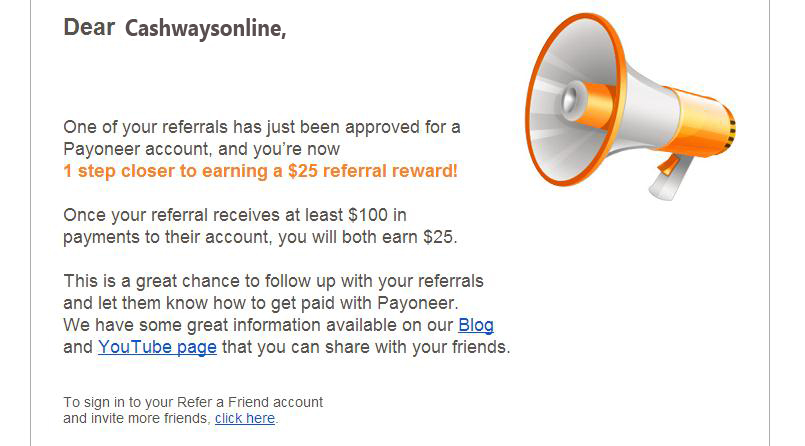
You will get an email from Payoneer whenever someone signup for Payoneer MasterCard with your affiliate link. 
Again you will receive an email when your referral loads total payment of 100$ to his/her account and you will see 25$ bonus in your account. 
Your referral will also earn 25$ bonus along with you after loading amount of 100$.


https://share.payoneer.com/nav/ArGvOlXKFwm8AERHiL7FVD2U51iu5Uwlg1nSoRZFhS98QDoUD6y6UYG7C-0g5Qk1RUbFnnjcgCPjkHxwOAGk4w2


https://share.payoneer.com/nav/ArGvOlXKFwm8AERHiL7FVD2U51iu5Uwlg1nSoRZFhS98QDoUD6y6UYG7C-0g5Qk1RUbFnnjcgCPjkHxwOAGk4w2


If you do not have a Payoneer account then click below link to signup and earn your 25$ reward.


How To Get Payoneer Master Card With 25$ Bonus!


http://share.payoneer-affiliates.com/v2/share/6156050760968088561

Payoneer is an online global payments company that provides easy solution to make online payments, send and receive money from over 200 countries and also from US companies including PayPal, Amazon, and Facebook etc.  Using Payoneer Master Card, you can withdraw your funds from anywhere in the world through MasterCard supported ATM machine.

If you are living in one of the PayPal unsupported countries like Pakistan, Egypt, and Iran etc.
so Congrats to you, you just found the solution!
Many people use Payoneer to verify PayPal account with the US payment service they offer.

Many Benefits of Payoneer Master card:


  • Simply you do not need to check any other account for transferring any money.You can withdraw your funds from any ATM using Payoneer Master card.
  • The Most important thing is that you do not need any statement for getting Payoneer Master card.
  • You can use your Payoneer Master card for shopping purpose in mega stores also in different countries.
  • You can also use Payoneer Master card for online shopping like for purchasing Mobile,laptop,clothes,domain and Hosting etc.
  • You can also pay online Bills and Fees from this Master card.

Along with these benefits you can also make money with Payoneer affiliate program.
Now I am going to show you How you can get this free Payoneer Master card and how to get 25$ as Bonus from Payoneer.

NOTE :
    In order to get 25$ from Payoneer as Bonus you have to Sign up under a referral link and then you have to transfer 100$ in your account after that you will be able to get 25$ as a Bonus from Payoneer.
For that here is my referral link CLICK HERE


http://share.payoneer-affiliates.com/v2/share/6156050760968088561


 Sign Up Steps :


  •  Now that you clicked on my my referral link, click Sign Up Now.
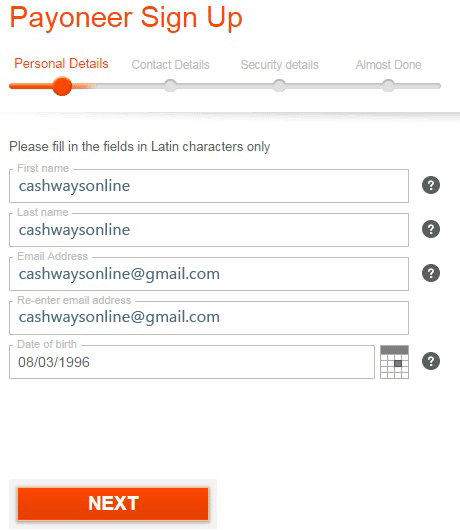
Fill all the the boxes with required detail as showed below in the picture.Put all the details honestly and correctly.They just require your name,email address,Shipping address etc.


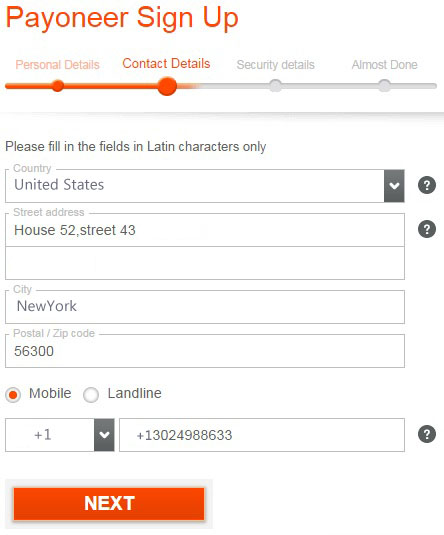
  • Now put your correct  your address , Postal code and city.
  • But keep in mind that all of your information should be correct.
  • You also need to put your correct mobile number to continue your sign up process for Payoneer Master card.
  • When you fill up all those boxes then click NEXT Button.


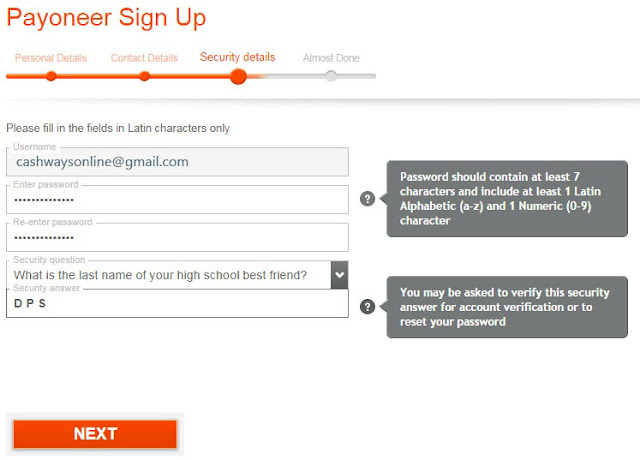
  • Now you are on security setup area .
  • Fill all the boxes include security questions box, password box and etc.
  • Now click on the Next….


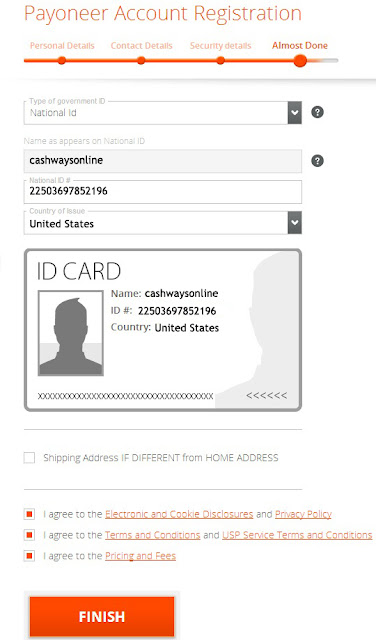
  • In this step you need to verify your identity, Payoneer need the Verification information that is related to you and then they will send the Payoneer Master card.
  • If you are under 18 then you can not full fill this step because they need a National ID card number to process NEXT.


  • Check all the Term and conditions boxes then click on FINISH Button as shown above.
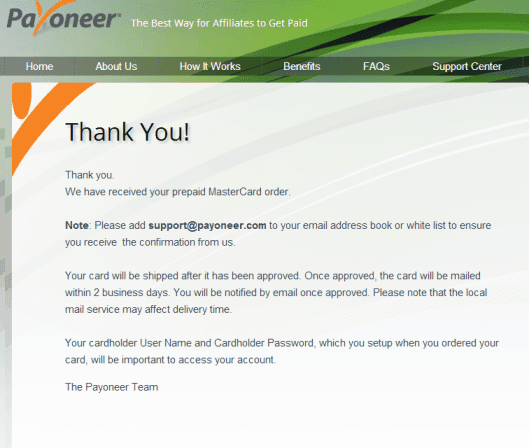
  • After doing all the steps correctly you will receive a confirmation email from Payoneer in your e-mail address.


How to Activate Your Payoneer Master Card? 

  • You will receive your Payoneer Master card with in just 30 days at the address you have given, but Normally the card arrive in 3 to 5 days sometimes it takes more. 

  • When you receive your Payoneer Master card all you need to do is to go to Payoneer.com website 
  • Log in to your account.
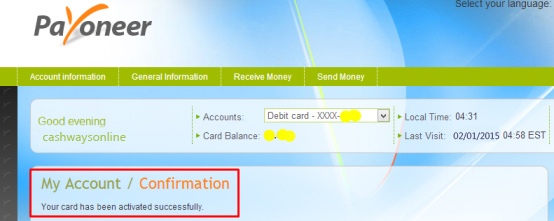
  • Add your Master card number and the CVV (the last three numbers of your card) then create a pin code of your choice and Press OK. 
Congratulation! You just activated your Payoneer Master card and all set to receive payments.